As part of the merger between Australian Mutual Bank and Teachers Mutual Bank, a banking systems integration has taken place 22-24 May 2026.

Between 14 April and 4 May 2026, members were provided with information packs outlining important information about the merger of the two banks, including:

  • Confirmation of whether your membership and/or account numbers are changing. 
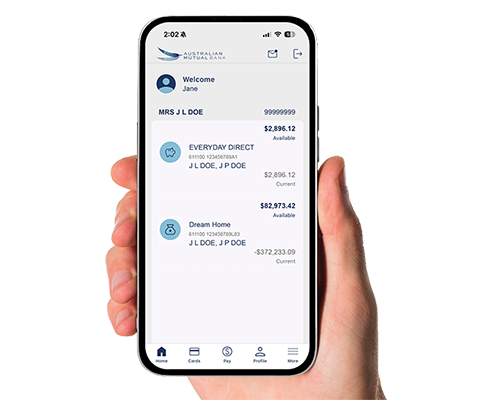
  • How to access your accounts in Internet Banking and the Mobile App from 24 May
  • Banking arrangements that will be automatically migrated for you (such as your existing cards, electronic payments, direct debits and direct credits)
  • New standard daily transaction limits at an account level
  • Changes to your member share(s)
  • Changes to our product terms and conditions
  • What you need to do to prepare

Information packs have been emailed to members with a valid email address on file, and sent by post to those without an email address or where emails were returned undelivered. To minimise disruption to your banking please read this information carefully so you know what to expect.

If your member number has changed, please use this from now on when logging into Internet Banking and the Mobile App.

How to access the Mobile App from 24 May 2026

If you are an existing app user, open the app on your device.

If your member number hasn’t changed:

Enter your existing PIN/Pattern or use your existing biometric ID to log in.

If you have a new member number:

  • Open the app on your device, select Log in.
  • Tap on Let’s get started.
  • Enter your new member number provided in the cover letter or email sent to you in April.
  • Enter your existing Internet Banking password and tap on Continue.
  • You’ll be asked to choose a PIN/Pattern to access the app with.
  • Read and accept the Terms of Use.
  • You can also set up biometric ID.

If you’re seeing an error message

If your app displays an error and you are unable to register, a quick fix is to delete the app and reinstall it from the Apple App Store (iPhone) or Google Play Store (Android). This often helps resolve common issues.

If you’d like a hand with this, feel free to give us a call on 13 61 91 Mon - Fri: 8am - 7pm and Saturday: 9am - 3pm (Sydney time). We’re here to help.

Summary of changes after banking systems integration

FAQs

If your member number has changed following banking systems integration, you'll find the new member number in the cover letter or email we sent  between 14 and 28 April. 

If your member number has changed following banking systems integration​, you'll find the new details in the cover letter or email we sent between 14 and 28 April. Use the new member number and your existing Internet Banking password after 24 May. We’ve enhanced security features, so there is no need to enter your date of birth on login.

If you’ve forgotten your password, you can reset it by following the prompts via the “Forgot your password” link, or by calling us on 13 61 91.

Please note that from 24 May 2026, members will be required to enter a valid 16-digit card number as part of the password reset process. Members who do not have a valid card will need to contact us on 13 61 91 to reset their password.

Your regular electronic payments, direct debits, direct credits and customised account nicknames have been automatically transitioned for you.

Some of your banking alerts may have changed. To review your alerts, simply log in to Internet Banking and select Self service followed by Alerts. You can then view a summary of your existing alerts and create any new alerts required for your accounts.

The Contact Centre operating hours during the banking systems integration period are as follows (Sydney time):
• Friday, 22 May – 8am to 10pm
• Saturday, 23 May – 9am to 7pm
• Sunday, 24 May – 9am to 3pm
• Monday, 25 May– 7am to 8pm
• Tuesday, 26 May - 8am to 8pm

We're here to help

Send us an email

If you need help to prepare for the planned disruptions, please email us at info@australianmutual.bank.

Call us

Our staff can assist you over the phone Monday - Friday 8am - 7pm, Saturday 9am - 3pm (Sydney time). Call us on 13 61 91 from Australia, and on +61 2 9678 2111 if you are overseas. See FAQs above for our extended operating hours during the banking systems integration period.

Drop in

Visit a branch to speak with our team if you need help preparing for the upcoming banking systems integration. Click the button to find your nearest branch.